Baimon Zettelkasten

Hello Zettlers,
I would like to briefly introduce Baimon Zettelkasten, my personal digital Zettelkasten, which I now use exclusively. Perhaps this variant might also be of interest to those who like the idea of a Zettelkasten on a USB stick.
The key points here:
Baimon is free software (GPL license) and runs in your browser on a little Python server. The 1.1 MB zip file contains a whole suite of tools for writers, teachers, students, and every Zettelkasten enthusiast – comes with many themes and 33 languages. Modes: Desk as reading mode, editor with live preview, text composer, weblog generator, comparison mode. As a single-user desktop app, it is ultra-portable (Zettelkasten on a stick). All text files (Zettel) in Markdown are autosaved, not manipulated with any extra code, and are stored locally, ready to work with them in any other text editor. Many tools like automatic backlinks, a local node treeview for each Zettel (depth 4), export, import, simple link and media insertion to your texts, link to a text block in another file, formula rendering, serendipity functions, and much more. Baimon also can handle large note collections (tested with 10.000 *.md files).
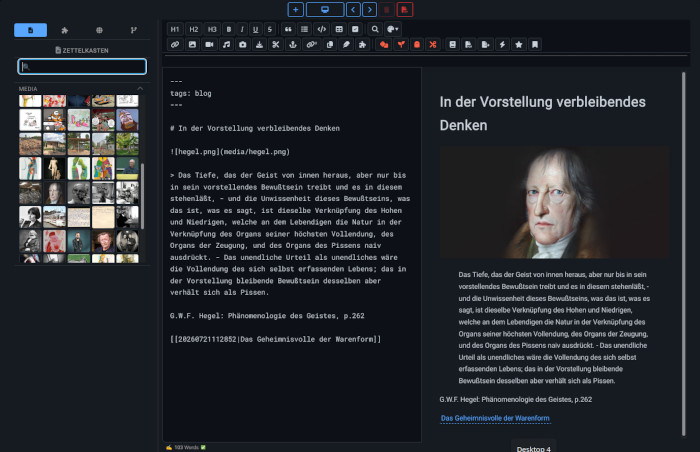
I look forward to any testers and helpful feedback on possible improvements.
You can download the program here: djaakthungna.info
Ahoy from Thailand,
Chris
Howdy, Stranger!
Categories
- 3K All Categories
- 153 Research & Reading
- 703 The Zettelkasten Method
- 12 Knowledge Work
- 102 Writing
- 474 Software & Gadgets
- 158 Workflows
- 733 The Archive
- 15 Plug-In Showcase
- 88 Resolved Issues
- 225 Projects Logs and Journals
- 86 Project: Zettelkasten.de
- 53 Critique my Zettel
- 179 Random
- 375 Introduce Yourselves!
Comments
Hello dear Zettlers,
Thank you very much to those who have contacted me so far with very helpful tips!
What I have always missed in digital Zettelkasten apps is the ability to simulate spreading multiple notes out on the desk, as is possible with paper. Tree views and graphs are good, but they always fall short of the experience of spreading out notes.
Baimon now makes this spreading-out possible:
By clicking on a node in the local graph in the note footer, the corresponding note opens in a small format as a separate window. This makes it possible to open several notes, move them around, etc. If the content is longer, the note is scrollable, and links within the note open notes in normal size in the desk.
Shift+click on a node in the graph opens the corresponding note in normal size.
If anyone is interested: You can find the download for the latest version (still in beta) at https://djaakthungna.info
Happy zetteling and greetings from Thailand,
Chris
This is so true. My own system lets the practitioner spread notes around too, as well as open any other kind of file having a link in the note. It helps to have a second monitor.
Hello Zettlers,
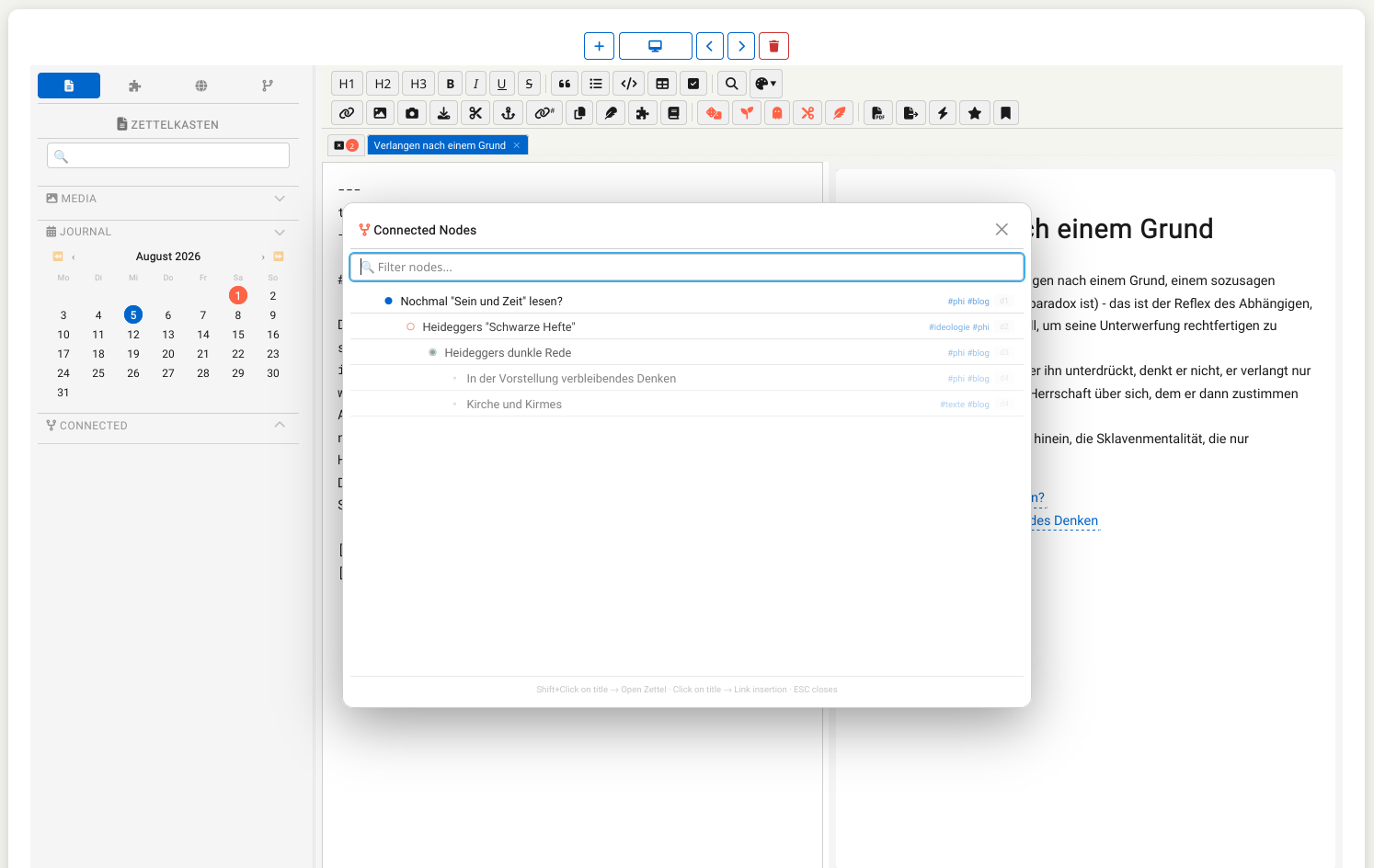
an update on Baimon Zettelkasten:
Baimon now also offers the option in the editor to display a note's network connections up to depth 4. Clicking on a note title in the overlay inserts the link into the current note at the cursor position in the editor, while Shift-clicking opens it as a new note in the editor.
Baimon now provides both the desk-mode graph in the note footer (displaying connections up to depth 4 and allowing note opening via click) and this slightly enhanced functionality in the editor.
I hope this has usefully extended the workflow in Baimon. The app is still only 1.3 MB in size (including all dependencies: icons, fonts, themes, translations into 33 languages, all JS functions, rendering packages, etc.) — everything you'll need to run it.
Greetings,
Chris
Dear Zettlers,
here comes a new feature in Baimon:
If anyone prefers alphanumeric IDs (like I do), this can be implemented very easily in Baimon. I personally use these IDs to keep track of the development of ideas and thoughts. Also, in Baimon you can handle both side by side — one part with alphanumeric IDs, another without.
Simply enter the ID in the "# Usertitle" field, for example "# 1/1a My Title". The new editor feature will show the matching notes when you type something like "1/" into the search. Clicking a search result inserts the note as a Wikilink at the cursor position in the note currently focused in the editor. Shift+click opens the selected note in the editor.
I hope some of you might find this useful.
Best regards from Thailand,
Chris
Hi Chris,
Thank you for sharing your good work with everyone!
Just installed and opened Baimon on my laptop. Looks good so far.
Will try to take some time and try this out.
Keep up the great work!
Best,
Mark
@ArchiMark Thank you so much! I really appreciate it.
You're welcome....
Reviewed the english manual and like it's simplicity and organization, easy to digest and understand.
Is Baimon a name or does is mean something?
Bai mon - ใบหม่อน - is Thai and means something like mulberry leaf. It's also used as a female nickname; the Thai people have an extensive nickname culture. Then, of course, there's the deeper symbolism of the mulberry tree; but I was thinking primarily of its branching structure – and mulberries taste delicious and are healthy (we have plenty of them in our garden)...
Nice!
Very interesting, thanks for explaining.
Hi Chris,
Finally have a bit of time to test out Baimon.
Bit confused regarding right way to start out.
I have the manual open. Is it OK to leave this open in a browser tab while I want to create my own Baimon ZK file?
How should I start creating my own ZK. Do I need to save a new file?
If so, how do I do this?
Thanks,
Mark
@ArchiMark Just go to the editor, create a new file (the big + on top)... Autosave is taking care, no need to save manually. You can leave the manual open in desk mode - you can switch from editor to desk easily. No need for another browser tab (to have multiple files open, you can do so in editor mode, each file will hav it/s own tab there). And have a look in the manual for the shortcuts to create a new file (Ctrl+Shift+N), switching to desk (Ctrl+Shift+D) or from desk to editor (Ctrl+Shift+E).
@ChrisJoh Thanks for all the info, Chris. Very helpful!