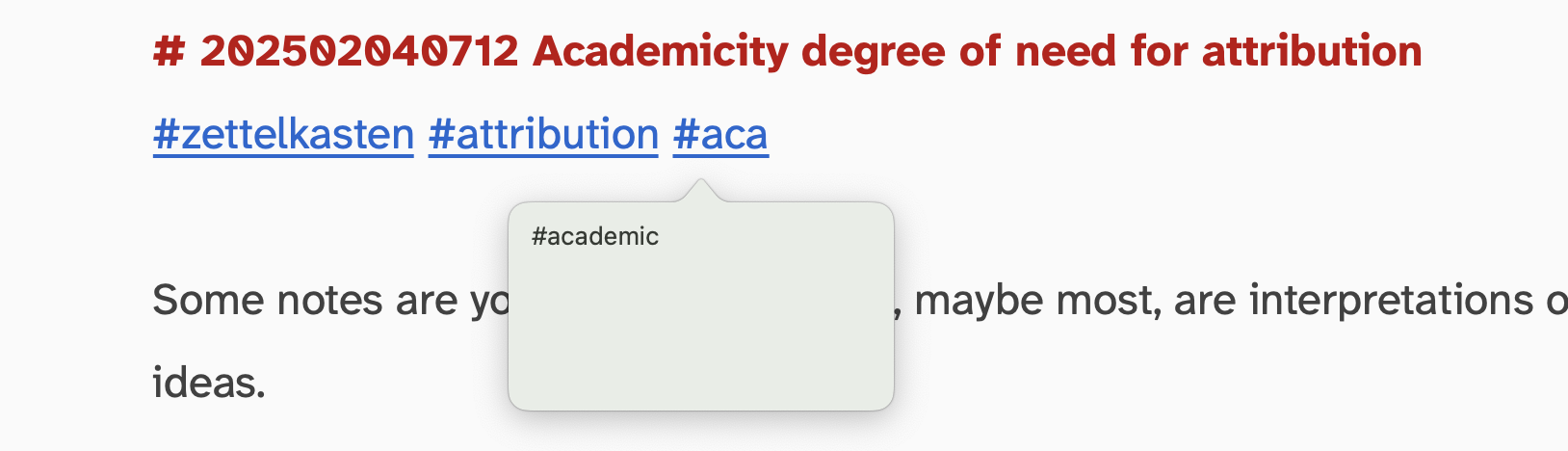
Anyone interested in tag auto completion may update to v1.8.3 (released now)

Opt+Esc is the system-wide shortcut to invoke auto-completion on macOS.
This worked in The Archive for basic dictionary word completions since day 1.
Now it also works for hashtags, suggesting from the index of all known tags -- instead of dictionary words.
When you type a #, the new completion UI automatically appears.
The new UI also works with dictionary words, allowing type-completion (instead of dismissing automatically as you continue to write)
Check it out!
Author at Zettelkasten.de • https://christiantietze.de/
Howdy, Stranger!
Categories
- 3K All Categories
- 153 Research & Reading
- 708 The Zettelkasten Method
- 12 Knowledge Work
- 102 Writing
- 475 Software & Gadgets
- 161 Workflows
- 734 The Archive
- 16 Plug-In Showcase
- 88 Resolved Issues
- 225 Projects Logs and Journals
- 86 Project: Zettelkasten.de
- 53 Critique my Zettel
- 181 Random
- 376 Introduce Yourselves!
Comments
It seems to work as intended on my end. It would be very nice to have this functionality with note titles as well.
@m_g That's where we'll be heading
Author at Zettelkasten.de • https://christiantietze.de/
This is great! One step closer to replacing Keyboard Maestro for interacting with the Archive.
31.1a1b4 (Redemption)
41.2b2c1a (Inexplicable beauty)
I'm trying the newest beta, and it seems to me that the autocomplete for wiki-style links only works when I manually type "[[" when I use the shortcut nothing pops up. Is this intended behaviour? @ctietze
@qqq No, not intended, but it's my fault, not yours Fix in the next update.
Author at Zettelkasten.de • https://christiantietze.de/